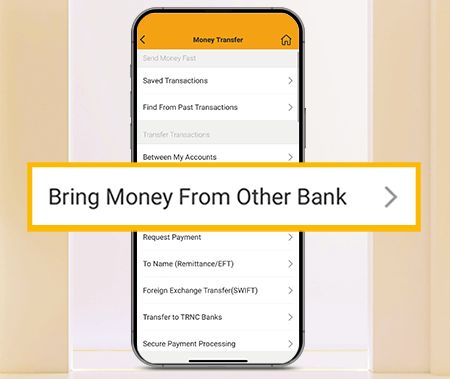
With VakıfBank Mobile, you can easily bring your deposits from other banks to VakıfBank when making money transfers, opening term accounts or transferring money to term accounts, allowing you to complete your transactions effortlessly.
How to do it?
The transaction fee is determined by the account holder's bank/corporate at the time of the transaction, and there are no additional fees.
You can save time by completing the transfer in just a few steps without having to copy your IBAN or enter it into another bank's money transfer screen.
When opening a term deposit account and depositing money into it, you can bring your savings from other bank accounts quickly and easily, completing your transactions with a seamless and user-friendly experience.
You can save time by completing the transfer in just a few steps without having to copy your IBAN or enter it into another bank's money transfer screen.
When opening a term deposit account and depositing money into it, you can bring your savings from other bank accounts quickly and easily, completing your transactions with a seamless and user-friendly experience.
You can perform your transactions in accordance with the EFT limits of the account-holding bank/corporate.
During the Bring Money from Another Bank process, you can complete your transfer by selecting your unlinked bank/corporate account from the CHOOSE A DIFFERENT BANK/CORPORATE field.
You can transfer money from another bank 24/7.
Both retail and corporate customers can easily perform the ‘Bring Money from Another Bank’ transaction.
You can complete your transactions by selecting the ‘Other Bank/Corporate Accounts’ payment method under the ‘Transfer/EFT/FAST to Another Recipient’ menu in internet banking, or through the ‘Bring Money from Another Bank’ menu in VakıfBank Mobile.


